
License
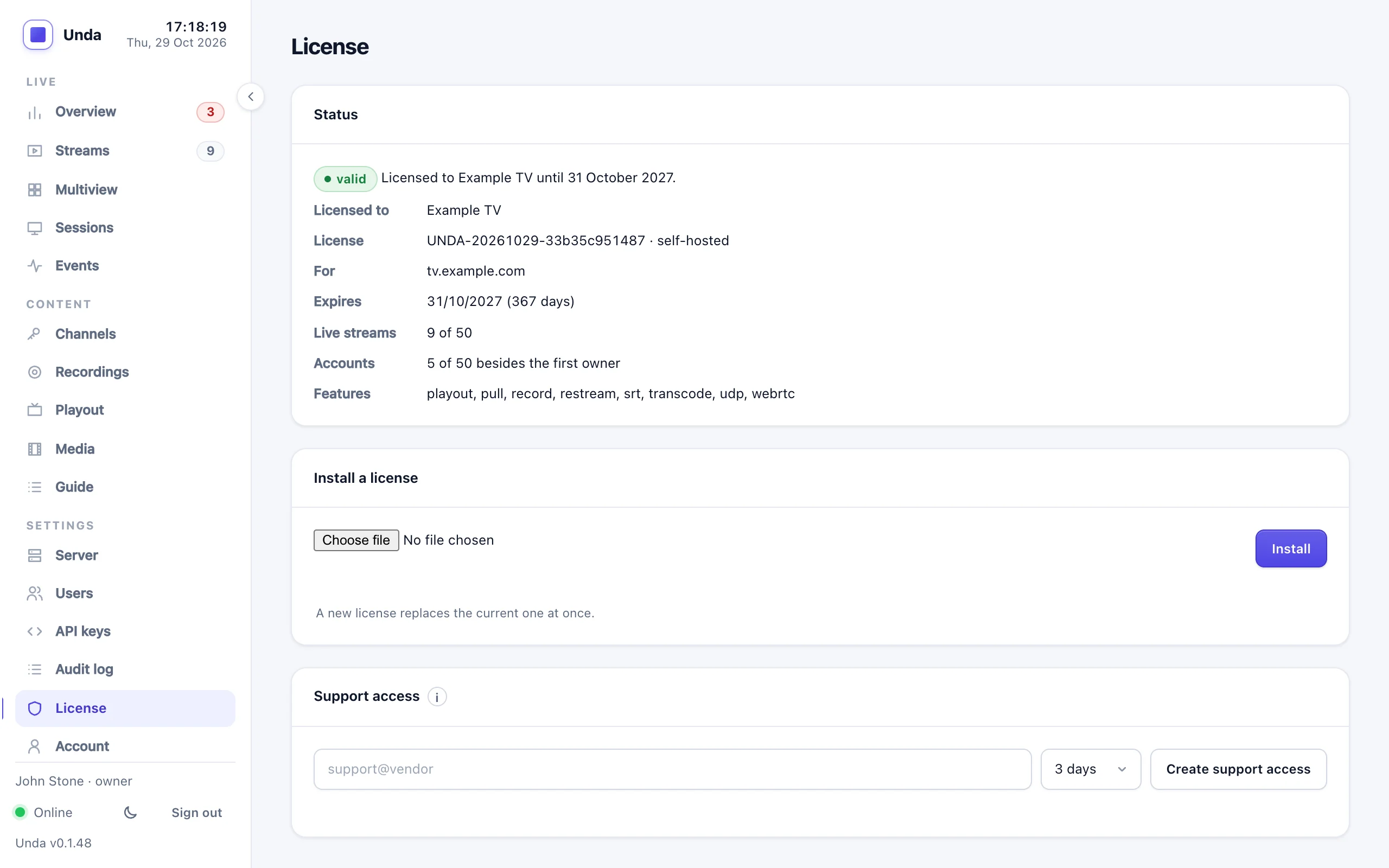
Your license is a small file (something.license.json) from your vendor. It sets how many streams can be live at once, how many accounts you can have besides the first owner (further owners count too), which features are included and until when.
| Feature | What it switches on |
|---|---|
restream | Restreaming to social media over RTMP and RTMPS (YouTube, Facebook, other RTMP servers) |
record | Recording |
srt | SRT input and SRT playback |
transcode | Adaptive bitrate |
playout | 24/7 channels, the media library and backup encoders |
udp | UDP, RTP and RIST inputs and destinations, SRT destinations, multi-channel (MPTS) inputs and bundles, broadcast TV outputs (with ad breaks and the link stations pull), relays and the stream analyser |
webrtc | WebRTC: publishing with WHIP and low-latency playback with WHEP |
pull | Pull inputs: HLS links, MPEG-TS over HTTP, other RTMP servers and RTSP cameras |
Without udp, a UDP, RTP, RIST or SRT destination or a broadcast output can't be added or switched on. One saved before (or added under an earlier license) is kept but switched off, with the reason on the Restream tab; it starts again after a restart once the license includes udp.
Installing or replacing it
- Dashboard: Server → License (owner only) → upload the file. It applies at once.
- Server shell:
sudo -u unda unda license -config /etc/unda/unda.yaml install new.license.json. The running server picks it up within an hour, or at once aftersudo systemctl restart unda.
A new license that adds SRT, UDP, adaptive bitrate or restream destinations in the configuration file needs a restart for those to start.
A license issued or renewed from 26 October 2026 needs Unda v0.1.46 or later; the license you have keeps working. If installing it says "the license was signed with a key this build does not know", upgrade Unda first (Backups and upgrades), then install the license again.
Licenses for a domain
A license can be issued for your domain(s), for example tv.example.com. It then works only on a server whose HTTPS certificate is for those names; the Server → License shows which domains it is for. If Unda runs behind Caddy or nginx (so it has no certificate of its own), list the names in the configuration file:
server:
  public_domains: [tv.example.com]
Moving to a new domain needs a new license file from your vendor.
States
Server → License, and a banner for operators and above, show where you are:
| State | What it means |
|---|---|
| Valid | Everything works within the license's limits |
| Expiring | Less than 30 days left: time to renew |
| Grace | Up to 14 days past the end date: everything still works |
| Expired | Streams already live carry on; new streams are refused until a new license is installed |
| Evaluation | No license installed: everything works for 30 days, for 2 live streams and 2 accounts besides the owner. The page says how many days are left |
| Evaluation ended | The 30 days are over: streams already live carry on; new streams are refused until a license is installed |
| Invalid | The file is damaged or not meant for this server: evaluation limits apply. Ask your vendor for a new file |
The 30 days count from the first time the server ran without a license.
When the stream limit is reached, the next stream is refused with a message saying so, whether it comes from an encoder, a pull, a UDP input, a channel of a multi-channel input, a 24/7 channel, a channel switching between its inputs or a relay; streams already live are never cut off. A channel's inputs (its backup encoder, pull and playlist) count as part of that channel, and a running relay counts as one stream, however many channels its feed carries.
Support access for your vendor
If you want your vendor to look at your server, the owner can grant support access under Server → License: a time-limited admin account (72 hours by default, 14 days at most) that you can end at any moment. Everything it does is in the audit log. There is no other way for the vendor to get in.