
Media Server › Features › Backup encoder
Stay on air when the encoder drops
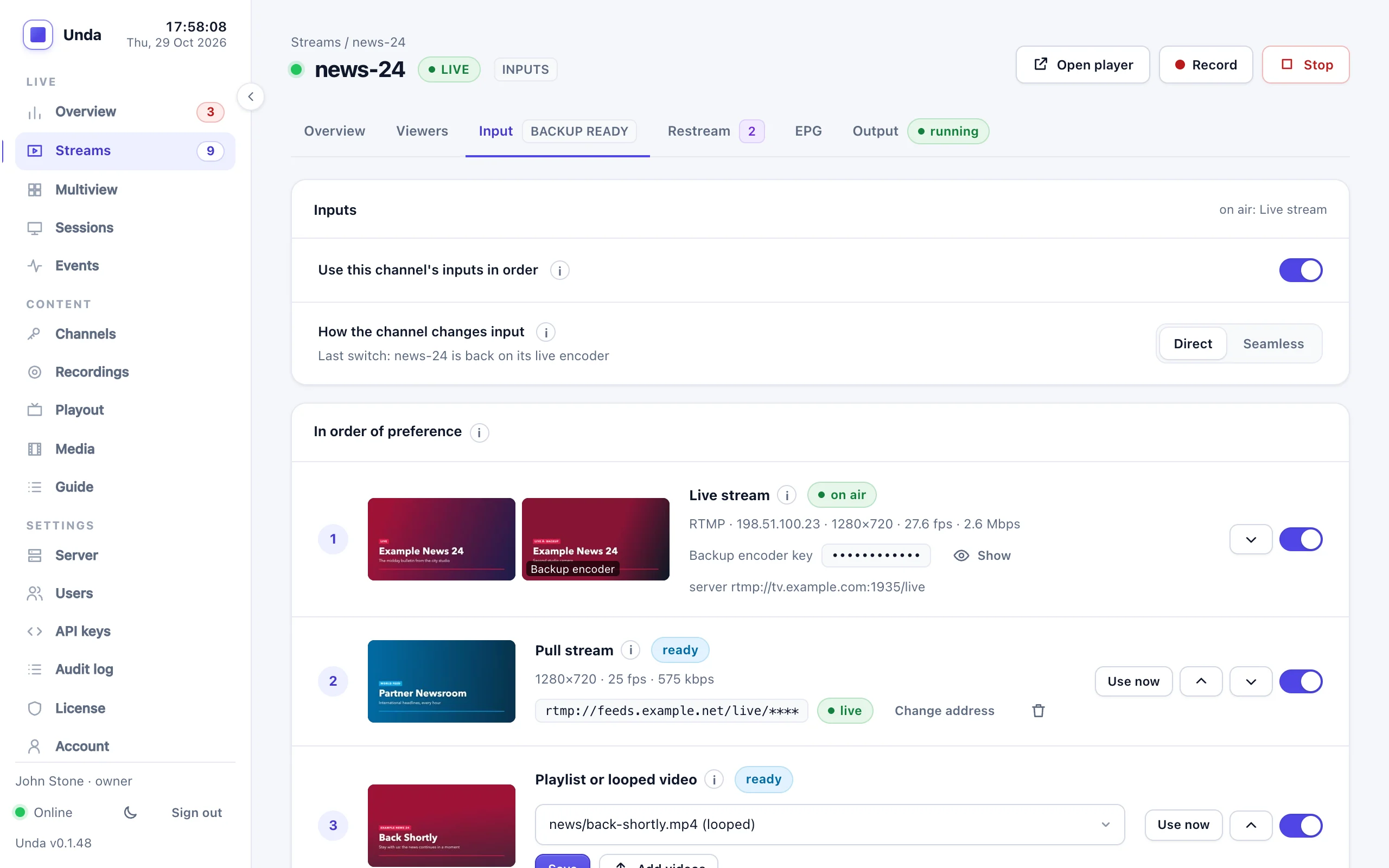
OBS crashes, a cable is pulled, a station's link goes quiet. Each channel ranks its inputs: the live encoder and a backup encoder, a pull stream from a link, and a playlist of your videos. Unda puts the first one with pictures on air, and goes back to the first choice when it returns.
Measured on our test setup with two encoders, a pulled stream, viewers and a restream destination running throughout.
Inputs in your order, switched for you
Switch on the channel's inputs on the stream's Input tab and rank them first, second, third. The channel gets a second key for a backup encoder. Unda always shows the best input that has pictures.
- Live stream: your encoder, and a backup encoder with its own key
- Pull stream: a station's HLS link (operators can also pull RTMP servers and RTSP cameras)
- Playlist or looped video, running on its own clock
- Back to your first choice by itself once it has been steady for 10 seconds (your setting)
- Clients set the order, their pull link and their playlist on their own channels
- Every switch in the event log, and an alert while not on the first choice
What it costs and what it covers
Direct or seamless
By default Unda relays the input on air as it is, with no extra CPU: inputs encoded alike switch without viewers noticing, others restart the stream for a moment. With seamless switching, Unda encodes the channel itself and no switch is ever seen.
Server cost
Direct switching costs nothing extra. Seamless switching: about 60% of one CPU core for a 720p channel, plus about 13% for each input kept ready.
One licence stream
A channel with inputs counts as one live stream in your package: its encoders, pull and playlist don't count separately.
Channel inputs protect against an encoder, a link or a station failing, not against the server itself failing.
Make your next event fail-safe
Tell us about your events and your encoders, and we'll help you set up a backup.