
Accounts and channels
Roles
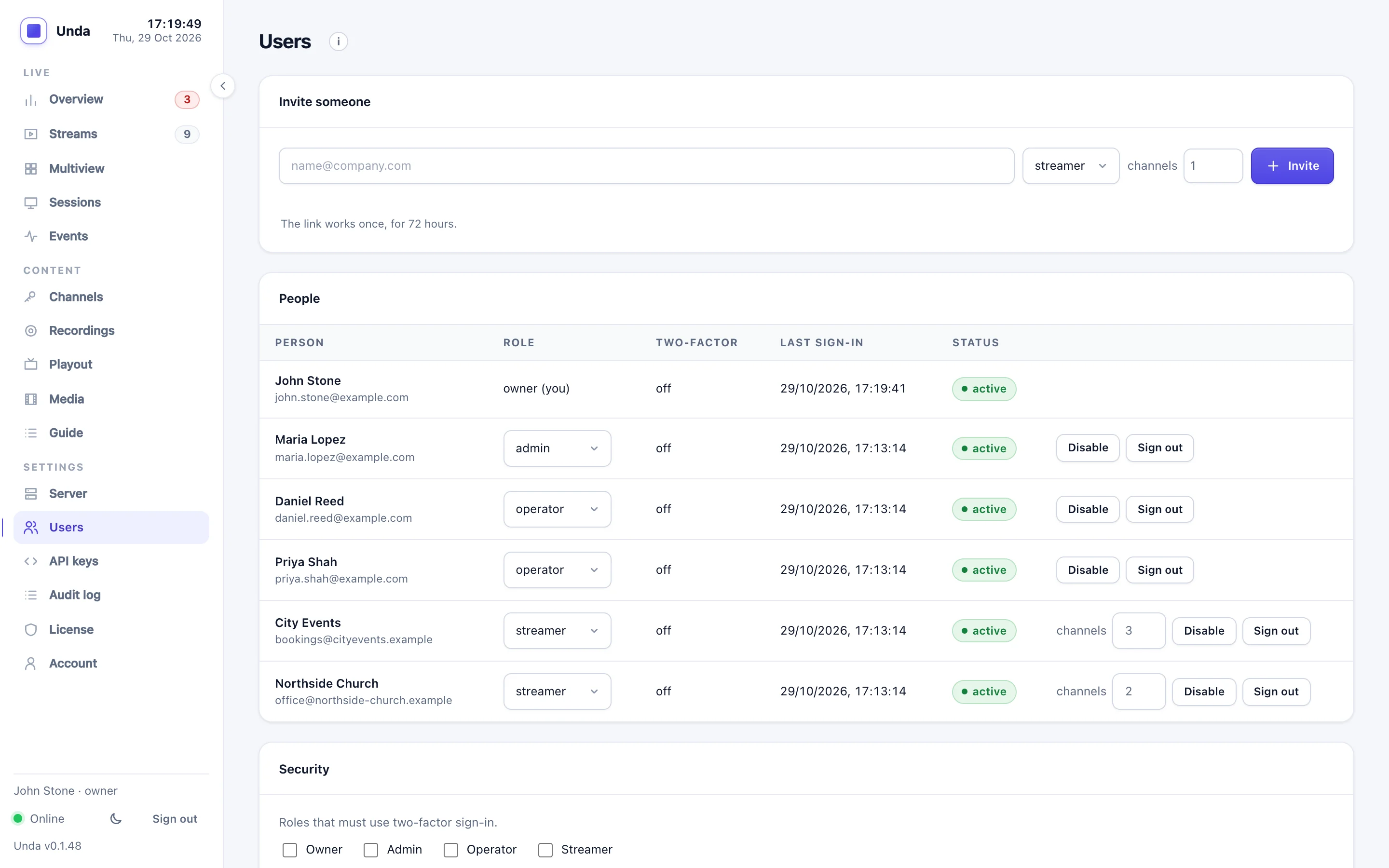
Unda is invite-only. The first account, the owner, is created with the one-time setup link shown when the server first starts. Everyone else is invited from Users.
| Role | Can |
|---|---|
| Owner | Everything, including the license and vendor support access |
| Admin | Users (except owners), security settings, API keys, audit log, plus everything an operator can |
| Operator | All streams: stop, record, restream, adaptive bitrate, UDP inputs, the Server page and metrics |
| Streamer | Only their own channels, including their own 24/7 channels and their files, and adaptive bitrate for them. Other streams do not exist for them, in the dashboard or the API |
Inviting people
Users → Invite someone: choose the role (and, for a streamer, how many channels they may create). Unda shows an invite link, valid for 72 hours and usable once. Send it however you like; Unda sends no email. The invited person picks their own password when they open it.
Signing in
- Passwords are at least 10 characters. Five wrong attempts from one address block that address from the account for 15 minutes (longer each time it happens again, up to a day). The account still works from everywhere else, so nobody can lock you out just by knowing your email. Each block is shown in the event log and, with the account's name, in the audit log. On Users, such an account shows how many addresses are blocked, and Unlock lifts the blocks at once.
- A session lasts 12 hours without use and at most 7 days.
- Passwords are only accepted over HTTPS (or on the server itself).
Two-factor sign-in
Each person can turn on two-factor sign-in under Account (staff: Server → Account) with any authenticator app (Google Authenticator, Microsoft Authenticator, 1Password, Authy…): scan the QR code shown there with the app, or type the key shown under it, then enter the 6-digit code the app gives. They also get 10 one-time recovery codes: keep them somewhere safe.
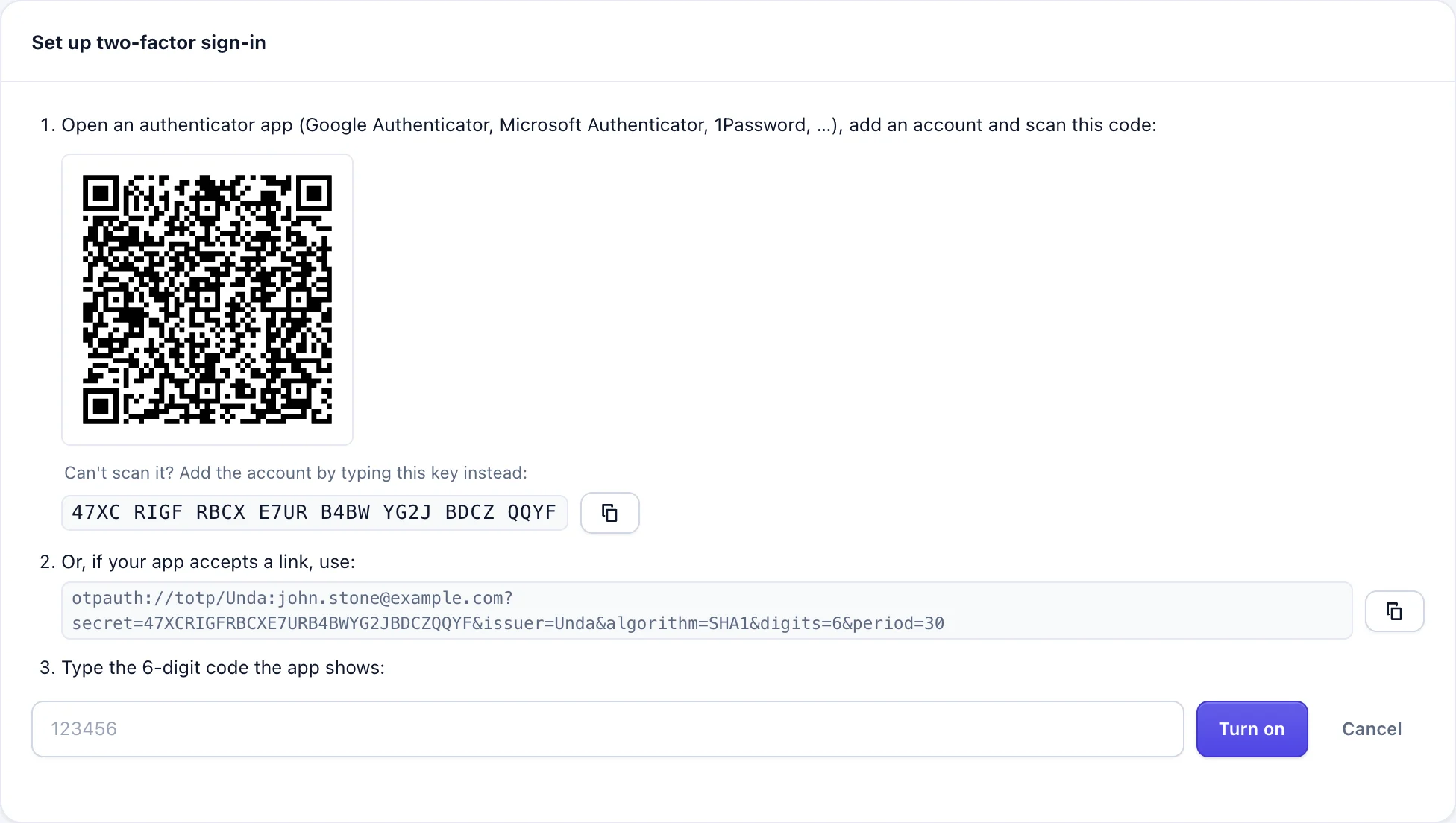
An admin can require two-factor sign-in for chosen roles under Users → Security; only the owner can require it for owners. Someone who loses their phone and codes can be reset by an admin (Users → Reset 2FA), or from the server's shell (below).
Channels
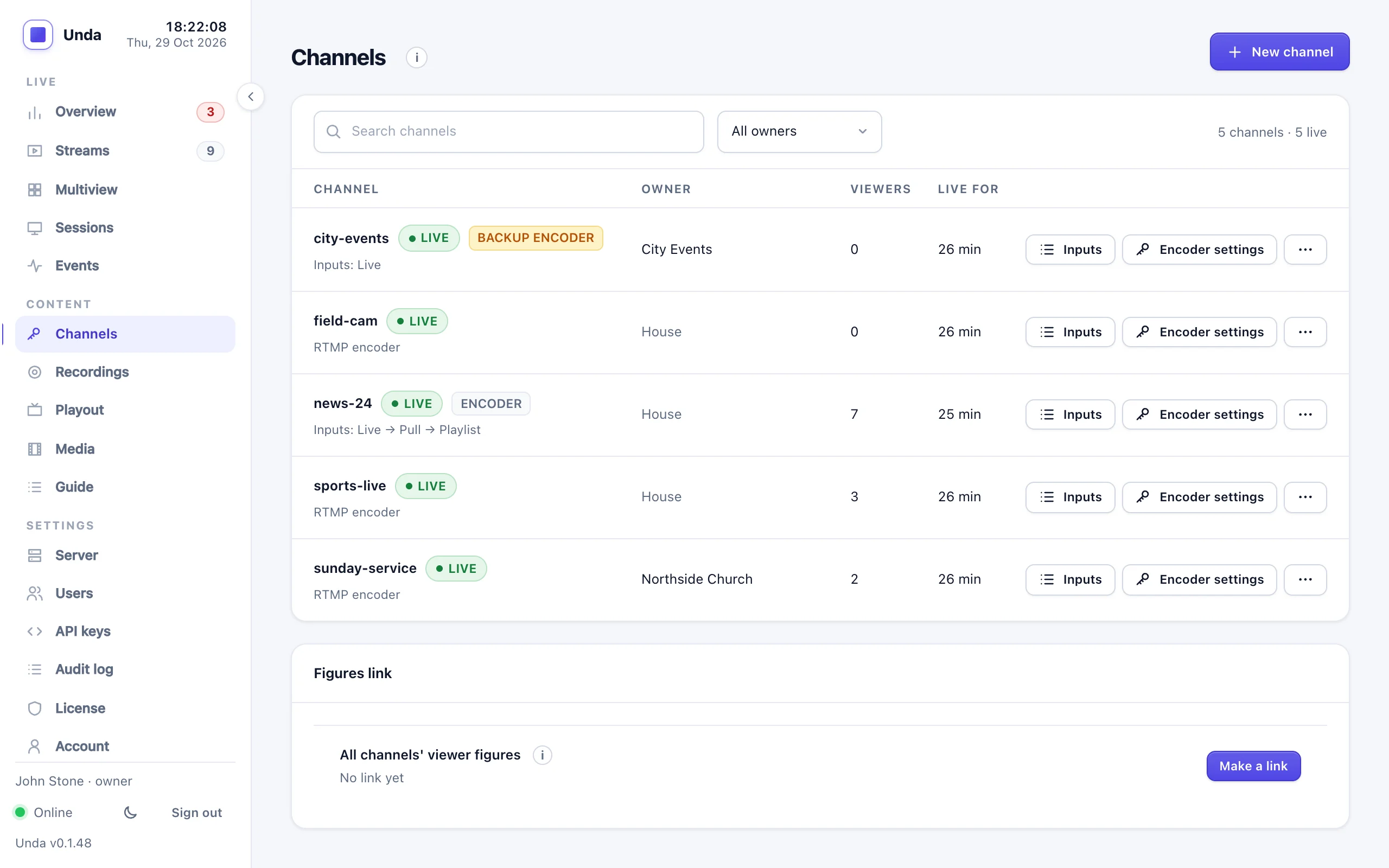
A channel is a public name plus a secret stream key.
- The name (lowercase letters, digits and dashes, e.g.
main-show) is in every viewing address:/watch/main-show. - The key (
sk_…) is what the encoder uses to go live. Treat it like a password. Encoder settings shows it with the server address; Copy copies it without showing it. - New stream key (the channel's ⋯ menu) replaces the key at once; a stream using the old one is disconnected. Use it whenever a key may have leaked.
- Change owner (admins, in the same menu) gives a channel to another client, or to the house. Its keys stay the same, so a live encoder carries on; the new owner sees the channel at once and the old one no longer does.
- Deleting a channel disconnects its live stream and deletes its inputs, programme guide and own media files.
Streamers create their own channels, up to their channel limit; operators and above can create channels for anyone. A streamer's own 24/7 channels count toward the same limit.
API keys
For scripts and monitoring, Server → API keys creates a key (gsk_…) with a role. Send it as Authorization: Bearer gsk_…. It is shown once; revoke it when it is no longer needed. See the REST API.
A client who wants their channel's viewer figures in their own website or app needs no key: make the channel a figures link on its Viewers tab and give it to them. See Viewer figures for each channel.
Like passwords, keys are accepted only over HTTPS (or from the server itself): over plain HTTP from another machine the server answers 403 https_required without checking the key. A closed studio LAN without HTTPS can set auth.allow_insecure_login: true.
Audit log
Account, key, channel, license and support-access actions are recorded under Audit log (admins), and kept for a year.
Locked out: the server's shell
Whoever can log in to the server can recover accounts. Run these as the unda user; passwords are asked for, never typed on the command line.
sudo -u unda unda admin -config /etc/unda/unda.yaml list-users
sudo -u unda unda admin -config /etc/unda/unda.yaml create-user you@example.com owner "Your Name"
sudo -u unda unda admin -config /etc/unda/unda.yaml reset-password you@example.com
sudo -u unda unda admin -config /etc/unda/unda.yaml unlock you@example.com
sudo -u unda unda admin -config /etc/unda/unda.yaml disable-2fa you@example.com
With Docker, use docker compose exec unda unda admin -config /etc/unda/unda.yaml ….