
Media Server › Features › 24/7 channels
A channel that stays on air while you sleep
Upload your programmes, plan the day in the dashboard, and Unda plays them at the right times, around the clock. When you go live, the live show takes over, and the schedule picks up again when it ends.
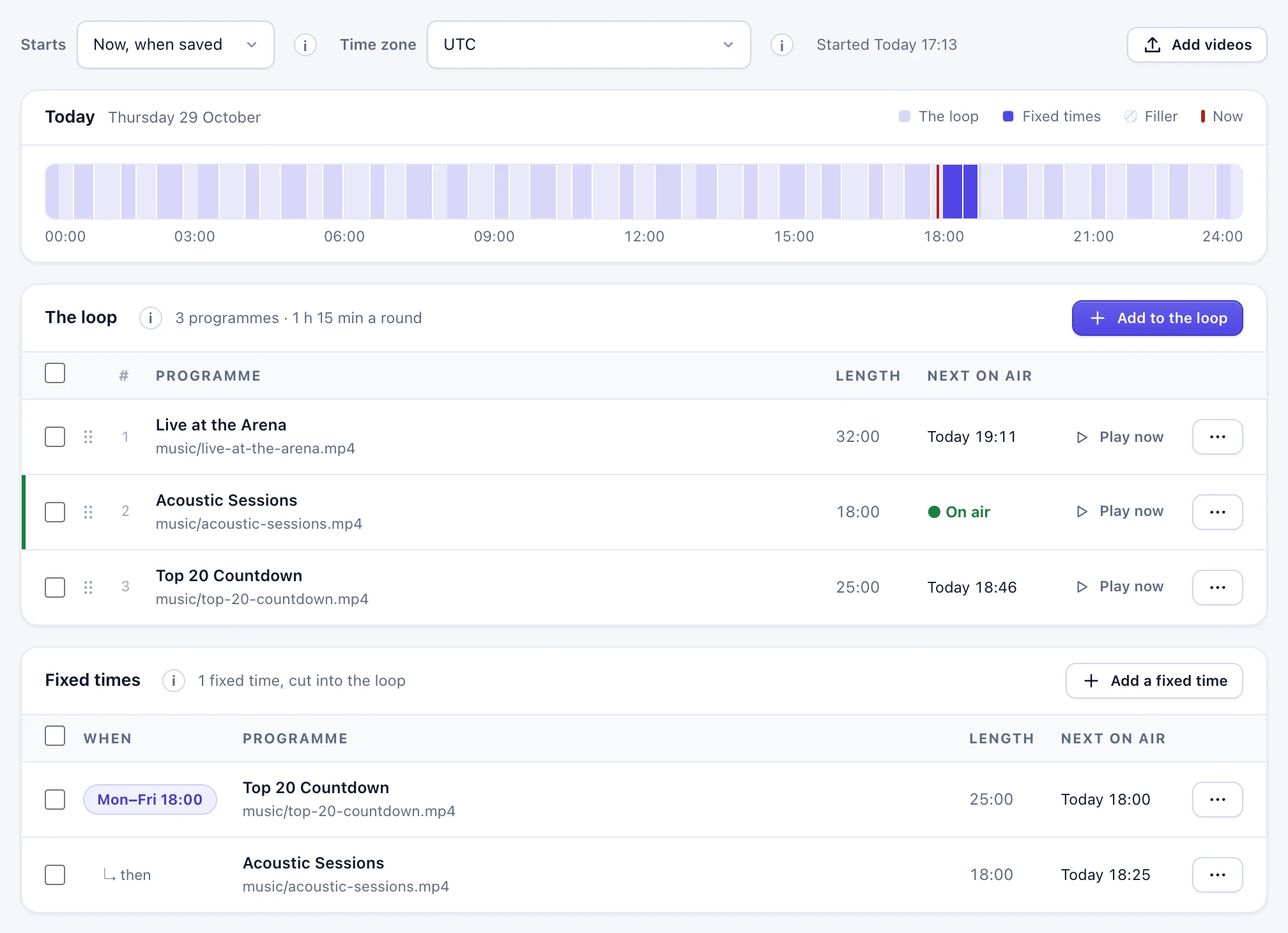
A schedule anyone on the team can edit
Make a channel and its playlist in the dashboard, no files or commands. Each item can start at a fixed time or follow the one before, and the editor shows when everything will air before you save.
- Fixed start times for the news, following items for the rest
- Repeat every day, or run a one-off schedule
- Start and end points inside a file, so you air only the part you want
- Changes go on air in seconds; two people editing at once can't overwrite each other
A media library in the browser
Upload programmes from the Media page. A large file that is interrupted continues where it stopped, even after closing the browser. Each file is checked when it arrives, so you know it will play before it is scheduled.
- Uploads up to 5 GB a file, resumable
- Files of any size and shape, fitted to the channel's picture without stretching
- A file on air can't be deleted by mistake
What viewers see
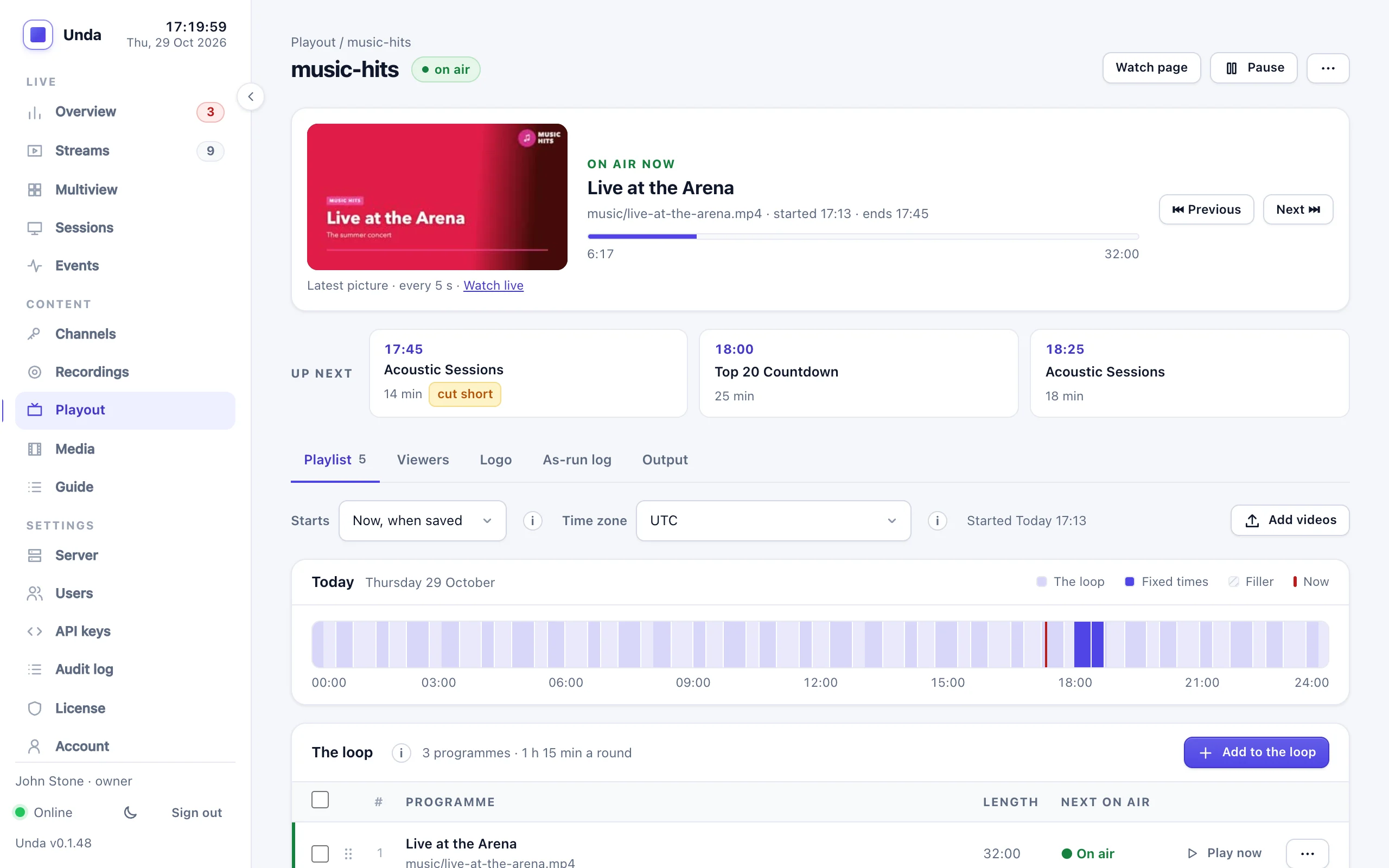
The channel is one continuous stream. Players never restart between programmes, so viewers simply keep watching.
Smooth changes
Every programme is converted to the channel's picture size, frame rate and sound, so the switch from one to the next is seamless.
Live takeover
When your live show starts, the channel switches to it within a few seconds (about 3 s measured) and goes back to the schedule when it ends.
Never dead air
Gaps in the schedule are filled with black, a slate or a looping video. A file that can't play is skipped and flagged.
An ordinary stream
- Plays on your website and player page like any live stream
- Restream it to YouTube or Facebook, record it, give it adaptive bitrate
- Put it in a multi-channel TV bundle, with now and next in the programme guide
Proof of broadcast
- An as-run log of everything that aired, with scheduled and real times
- Why each item ended: completed, cut by the next start, live, error
- Kept 90 days, downloadable as CSV for advertisers and reports
Watched for you
- Alerts when a channel is off air or a scheduled file can't play
- A warning a day before a one-off schedule runs out
- A warning when the server can't keep up
Server needs
- About half to two thirds of one CPU core per 720p channel
- A 4-core server runs two or three channels next to its other work
- 25, 30, 50 or 60 frames a second
Related features
Adaptive bitrate
Give your channel a quality for every viewer's connection.
Learn more →TV and IPTV outputs
Send the channel to set-top boxes and TV equipment, with its name and programme guide.
Learn more →For internet TV channels
How a channel on Unda comes together, from programmes to viewers.
Learn more →Start your own channel
Tell us about your programmes and your audience, and we'll help you plan the server and the package.