
Media Server › Features › Adaptive bitrate
A quality for every connection
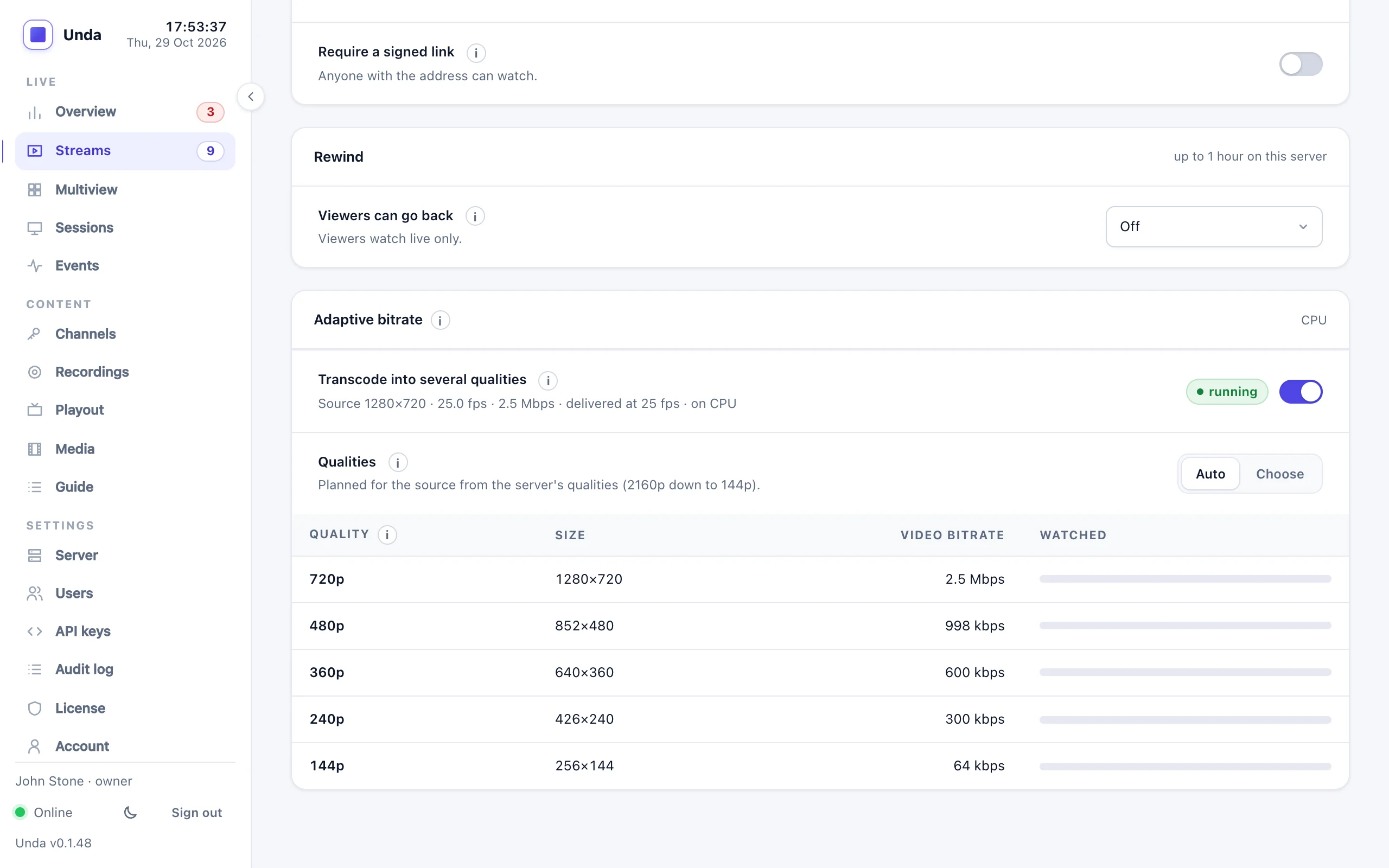
Your encoder sends one stream. Unda turns it into several qualities, from full HD down to 144p, and each viewer's player picks the one their connection can carry. People on slow mobile data keep watching instead of buffering.
Qualities that fit what you send
Encoders are unpredictable: a phone in portrait, an old camera in 4:3, a 1080p stream at a low bitrate. Unda measures each stream when it starts and plans its qualities from what it finds, instead of applying one template to everything.
- Up to 8 qualities; by default 2160p (4K), 1080p, 720p, 480p, 360p, 240p and 144p
- Never upscaled: a 720p source gets 720p and below
- Portrait, 4:3 and widescreen kept in shape, with no black bars
- No quality uses more bitrate than the source justifies
- Keyframes aligned across qualities, so switching is smooth
It just plays
In our tests on a throttled connection, the player dropped to a lower quality and kept playing, then climbed back once the connection recovered.
Automatic or chosen
The built-in player picks the best quality by itself, and has a Quality menu for viewers who want to choose.
HLS and DASH
The same qualities for websites, apps and smart TVs over HLS, and for DASH players.
The original too
RTMP and SRT viewers, recordings and restream destinations still get the stream exactly as it was sent.
Switched on where you need it
- Off by default: streams are served as sent
- Switched on per stream from its Output tab, or for every stream
- Switched off at any moment without stopping the stream
Server needs
- About 1 to 2 CPU cores and 1 GB of memory per 1080p stream
- A warning before you switch on when the server is already busy
- A CPU graph and alert, so you see when to add capacity
Graphics cards
- NVIDIA, Intel and AMD encoders through FFmpeg
- The dashboard detects and test-encodes on what your server has
- Ask us which card fits your channels
Kept running
- A crashed converter restarts within about a second
- Viewers carry on through a restart
- The stream itself is never affected
Reach viewers on every connection
Tell us where your viewers are and how they watch, and we'll help you size the server.